Admin Overview
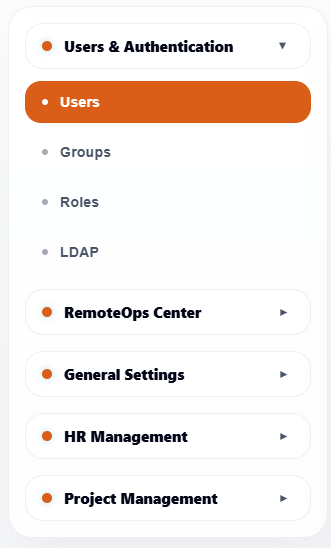
The Admin module is used to configure ArkBox users, access control, operational connections, system settings, HR workflows, and project governance.
Admin pages are permission-controlled. Users only see sections they are allowed to open.
Admin Sidebar Sections
| Section | Pages |
|---|---|
| Users and Authentication | Users, Groups, Roles, LDAP |
| RemoteOps Center | Connections, Backup Endpoints, Backups |
| General Settings | Connections, SMTP Settings, Performance, Time Settings, Log Viewer |
| Attendance Management | Leave Management, Attendance Report, Schedule Report |
| Project Management | Type, Status, Stages, Settings |
Common Admin Patterns
Most Admin pages use a similar layout:
- A left sidebar groups related configuration pages.
- Tables show existing records.
- Search helps locate records quickly.
- Add buttons to create new records.
- Edit actions update existing records.
- Delete actions remove records when allowed.
- Refresh reloads the latest data.
- Save buttons apply configuration changes.
Recommended Admin Workflow
- Configure users, groups, and roles first.
- Configure external authentication if LDAP is used.
- Configure system connections and email.
- Configure HR policies if attendance reporting is used.
- Configure project types, statuses, stages, and settings.
- Review logs when troubleshooting user or system activity.