Marketplace
Marketplace
Role: Resource Admin
Marketplace is where admins browse available resource projects and download resources into ArkBox.
After a resource is downloaded, it becomes available in My Library.
What Marketplace Is For
Use Marketplace to:
- Review available resource projects
- Open a project and browse its available resources
- Search and filter before downloading
- Download selected resources into ArkBox
My Library And Marketplace

The Resources page can show two views:
- My Library for resources already downloaded
- Marketplace for resources that are available to download
Projects List
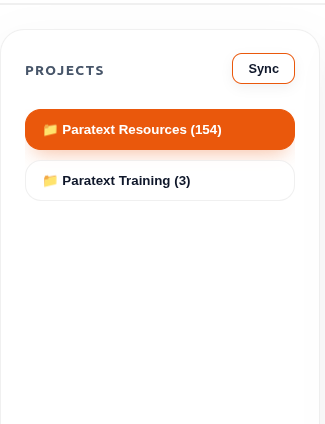
The left side of Marketplace shows the available projects.
| Action | Result |
|---|---|
| Select a project | Loads its resources in the main area |
| Select Sync | Refreshes the project list |
Use Sync when you want ArkBox to refresh the available project list.
Search And Filters

The top toolbar helps narrow the resource list.
| Control | Purpose |
|---|---|
| Search | Finds resources by name |
| All types | Filters by resource type |
| All | Filters by language |
Resource Area
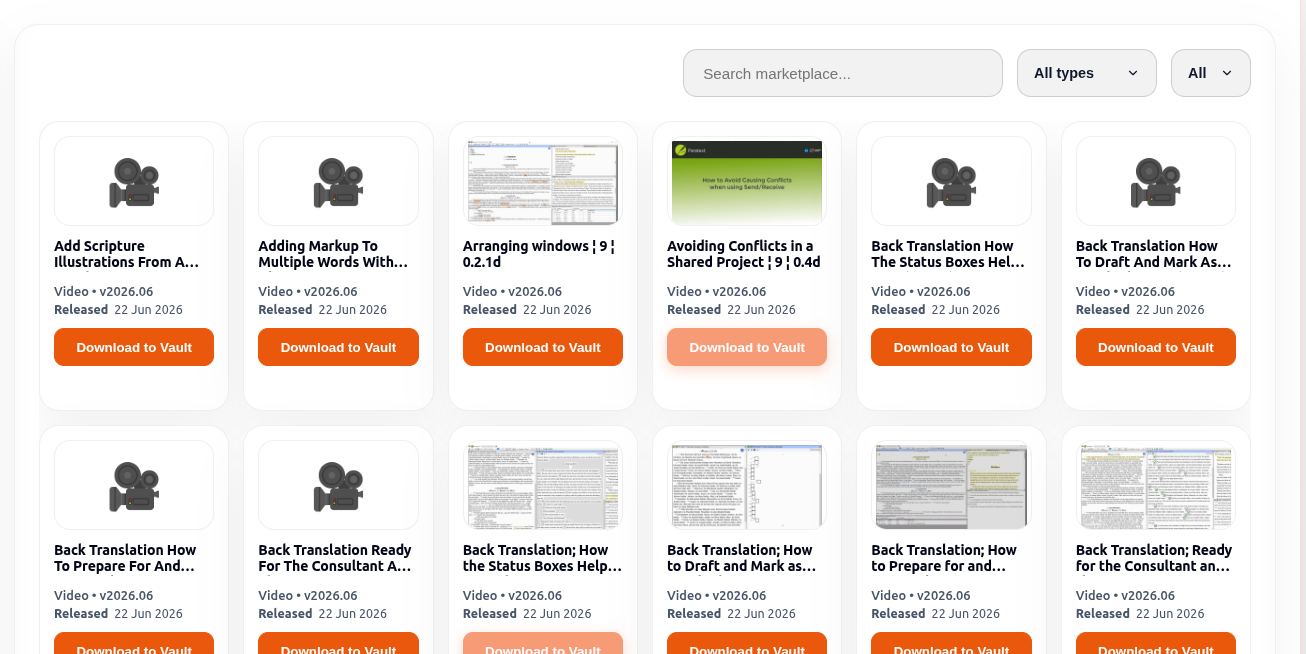
The main area shows the resources for the selected project.
If no project is selected, ArkBox asks you to choose one first.
If no matching resources are found, the page shows an empty result message.
What Each Resource Card Shows
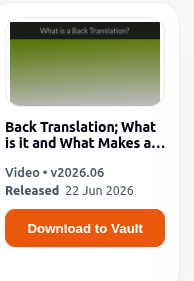
| Item | Meaning |
|---|---|
| Resource name | Name of the available resource |
| Type | Resource format |
| Version | The release shown for that item |
| Download to Vault | Downloads the resource into ArkBox |
How Marketplace Works
- Open Resources.
- Select Marketplace.
- Choose a project from the left side.
- Use search or filters if needed.
- Select Download to Vault on the resource you want.
- Wait for the download to complete.
- Open My Library to see the downloaded item there.
Download Behaviour
- A progress bar appears while the resource is downloading.
- ArkBox stores the downloaded resource inside ArkBox.
- After the download finishes, the item appears in My Library.
- Downloaded resources cannot be downloaded again from Marketplace.
Language And Type Filters
Use the filters at the top of Marketplace to narrow the displayed resources.
Available filters include:
- Search
- Resource Type
- Language
Resource Type options include:
- All types
- Videos
- Audio
- Documents
- Images
- Software
- Tools
Language options display the available resource languages for the selected project.
Selecting a filter updates the displayed resources automatically.
Useful Notes
- Marketplace is available only for resource management roles.
- A selected project must be opened before its resources can be viewed.
- Filters help reduce long resource lists more quickly.
- Resources downloaded from Marketplace become available in My Library.